How I Strengthen My Lungs with the Incentive Spirometer

Strengthening lungs with incentive spirometer

September 12, 2014 · Saint Petersburg
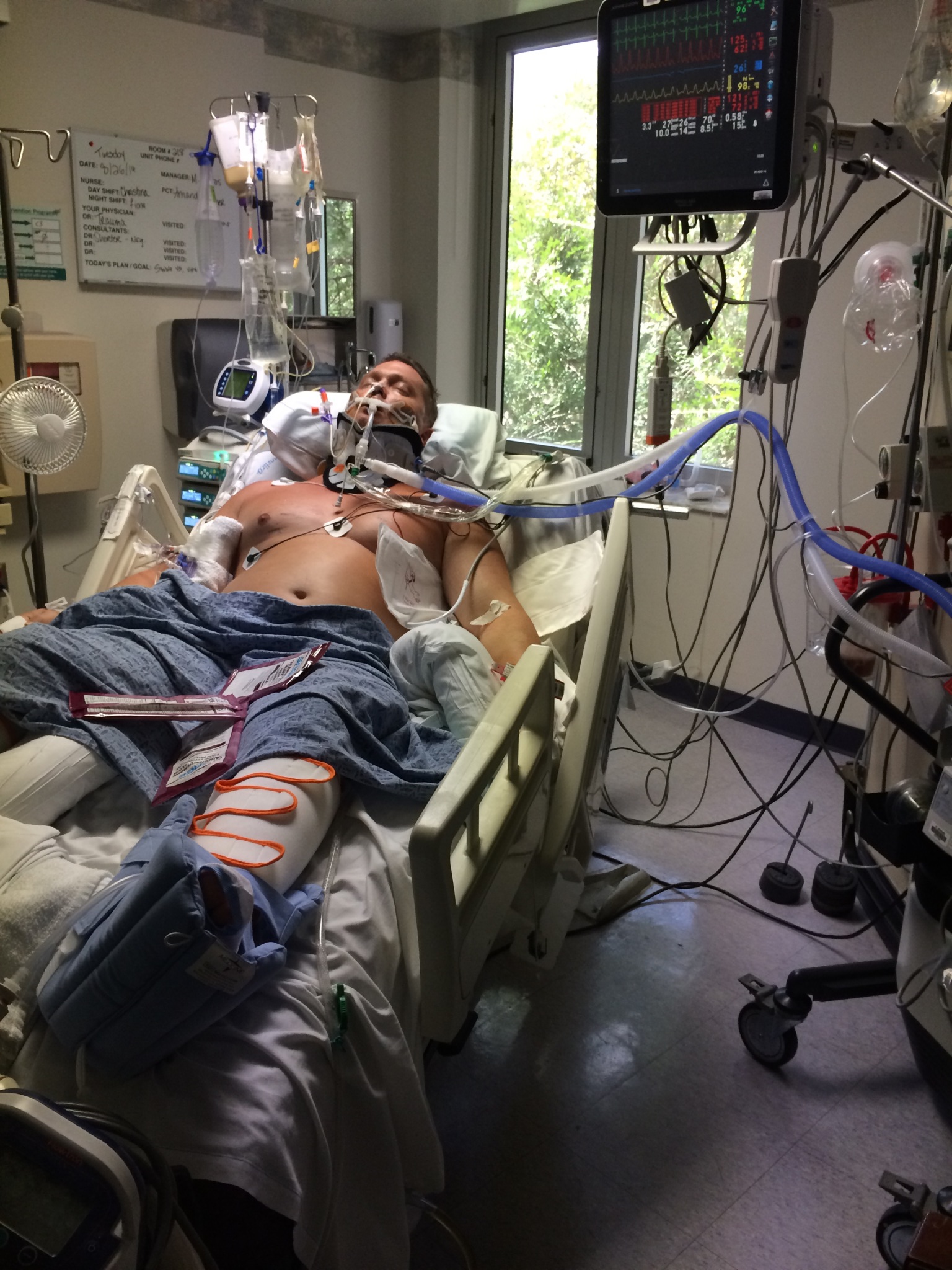
Charlie has had a good night tonight. He only de-sat’d once with his O2 dropping into the 80’s. The nurses bagged him to give him some extra O2 & his O2 came right back up & has remained above 90 for the rest of my visit.
He is in good spirits tonight & looks better to me. His O2% is at 40% & peep is at 8 so we are well on our way to getting off this vent!
I will be leaving around 11p…

…Tina Kendrick at Bay front Hospital.

For those that may not know; I was not able to breathe, on my own, for several months after breaking my neck. Clinical term, “ventilator dependent.” As a C-3 complete quadriplegic a tracheostomy is usually a part of everyday life but through rehabilitation and respiratory therapists that cared enough to work with me I was able to be weaned off the vent.

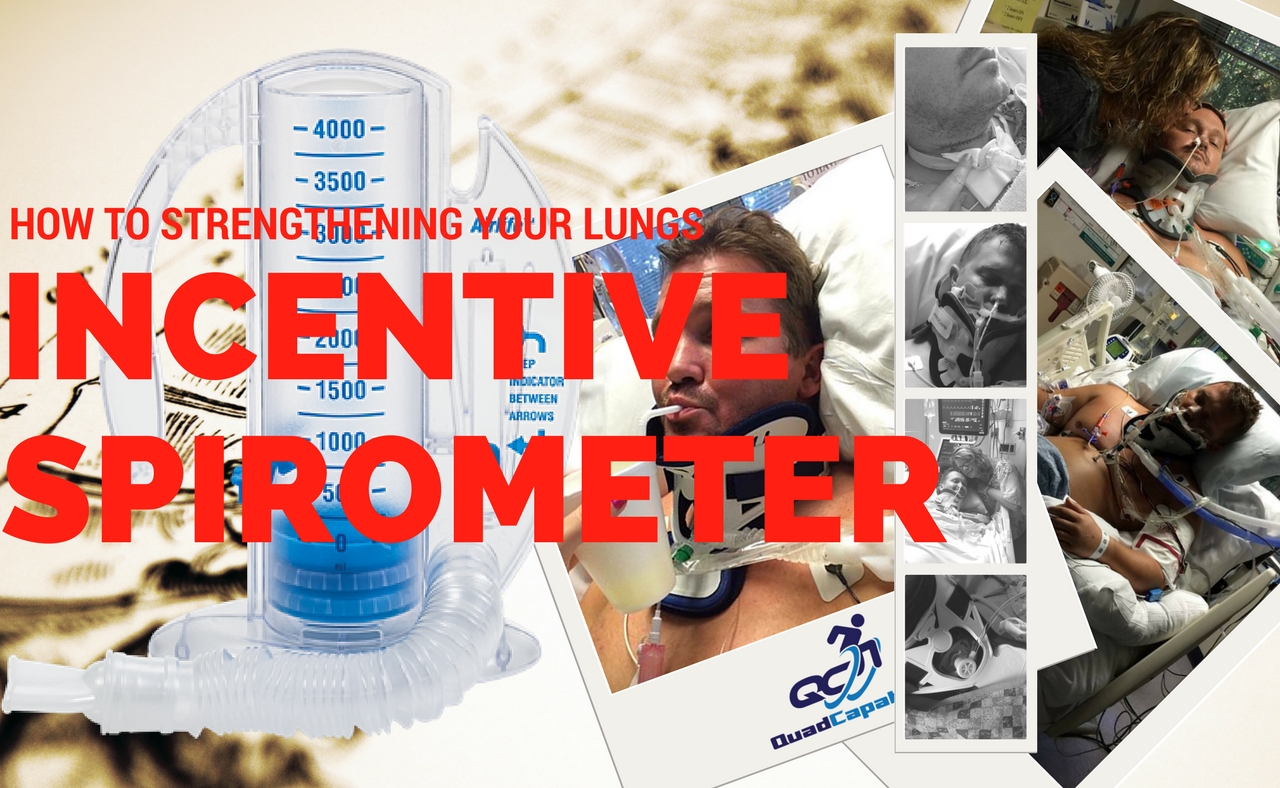
Strengthening lungs with incentive spirometer:

This post identifies one of the tools I used to be able to breathe on my own. Which, also equaled eating regular food, drinking fluids, and being able to talk to my love ones. If you have had a tracheostomy you know the feeling of hopelessness when you can’t talk to someone (cont. below)…Strengthening lungs with incentive spirometer
Strengthening lungs with incentive spirometer

I have mixed feelings Strengthening lungs with incentive spirometer but the one thing I know for sure is that it works. However monotonous and ridiculous it may be to suck on this thing in the hospital or at home; it is pivotal in the recovery of anyone who has lost or deteriorated lung function.

Using your incentive spirometer after surgery will help you keep your lungs clear and will help keep your lungs active throughout the recovery process, as if you were performing your daily activities.(Continue on for step-by-step instructions and video!)

Guess what? You can buy on Amazon!

How to Use the Incentive Spirometer:

-Sit on the edge of your bed if possible, or sit up as far as you can in bed.
-Hold the incentive spirometer in an upright position.
-Place the mouthpiece in your mouth and seal your lips tightly around it.
-Breathe in slowly and as deeply as possible. Notice the yellow piston rising toward the top of the column. The yellow indicator should reach the blue outlined area.
-Hold your breath as long as possible. Then exhale slowly and allow the piston to fall to the bottom of the column.
-Rest for a few seconds and repeat steps one to five at least 10 times every hour.
-Position the yellow indicator on the left side of the spirometer to show your best effort. Use the indicator as a goal to work toward during each slow deep breath.
-After each set of 10 deep breaths, cough to be sure your lungs are clear. If you have an incision, support your incision when coughing by placing a pillow firmly against it.
-Once you are able to get out of bed safely, take frequent walks and practice the cough.

EZ-PZ

Strengthening lungs with incentive spirometer video

[embedyt] https://www.youtube.com/watch?v=9iwKvhV0l8U[/embedyt]

Guess what? You can buy on Amazon! Strengthening lungs with incentive spirometer

References

Strengthening lungs with incentive spirometer

Agency for Healthcare Research and Quality. National Guideline Clearinghouse:

https://my.clevelandclinic.org/health/articles/how-to-use-an-incentive-spirometer

© Copyright 1995-2015 The Cleveland Clinic Foundation. All rights reserved.

This information is provided by quadcapable.com and is not intended to replace the medical advice of your doctor or health care provider. Please consult your health care provider for advice about a specific medical condition. This post was last reviewed on: 5/25/2017

Women Think These Are Sexy

Scars
A good friend of mine recently had a surgery and posted a picture of his scar. This prompted me to think about my own scars and whether or not they actually are attractive to the opposite sex? So I’m putting this out there hopefully to get an answer.

This also got me to thinking about my own trials and tribulations and that not all scars are external. Currently we have an epidemic with veterans that are dramatically scarred and living with internal psychological issues. I relate to that with my own internal scars, depression, living with the lack of my extremities makes the future a difficult thing to grasp…Continue reading below survey.

[socialpoll id=”2439879″]

I think the most important part of trudging through the world and our lives is connecting with other people in positive ways. I tried to connect on so many different levels and we are fortunate to have the outlets on social media that allow us to share and socialize without having to be right next to each other. I believe this is all that it takes to make sure your friends and family are staying safe and know that they are loved and like and enjoyed. Sometimes a like on Facebook, a retweet, a follow, or a comment to mean the world to people who are reaching out for help in ways that may not seem like they are reaching.

I appreciate each and every one of you that take the time to read and check out all of the random stuff I try to do to promote awareness for individuals living with paralysis. I hope to continue this for many years to come.

Manually Assisted Quad Coughing

Manually Assisted Quad Coughing

[kwod]
A form of assisted coughing for patients with central nervous system disorders such as spinal cord injury who are unable to generate sufficient force to clear respiratory secretions. After a maximal inspiration, the patient coughs while an assistant exerts gentle upward and inward pressure with both hands on the abdomen. The increased intraabdominal pressure produces a more forceful cough. Manually Assisted Quad Coughing


GREAT VIDEO ON Manually Assisted Quad Coughing

 Manually Assisted Quad Coughing video

Reference: quad coughing

Top Two Assistive Technology Computer Mouses  Quadriplegic Reviewed

Top Two Assistive Technology Computer Mouses  Quadriplegic Reviewed

I use several types of adaptive computer mouse controllers depending on what type of computing I will be doing. I’ve learned over the past year that some controllers are better than others in certain circumstances. Here is my Top Two Assistive Technology Computer Mouses Quadriplegic Reviewed.


Continuing with a brief overview of the two I use almost exclusively except when I have something break and I need to revert back to option three which I’ll explain at the end. Many thanks to the Department of Veterans Affairs for helping me obtain these adaptive computer mouse controllers.


Quadriplegic Adaptive Computer Mouse Controllers & Gaming Controller (Can also use with Xbox and PlayStation) quadstick.com

Top Two Assistive Technology Computer Mouses  Quadriplegic Reviewed

Quadcapable in action with the Quadstick:

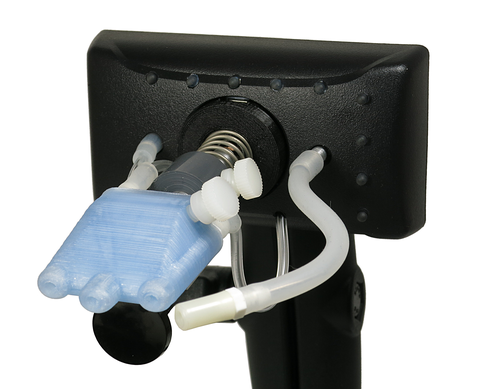
I have used one of these coReview of Three Adaptive Computer Mouse Controllers For Quadriplegicsntrollers for over six months they are very sensitive and very versatile piece of equipment, however, there is a steep learning curve programming the device for additional games. Plug-and-play does work well if you do wish to use this as a mouse. I found that its main weakness is prolonged use I typically would use the controller 16 hours in a day and that wears out the joint that holds the stem of the sip and puff to the base pretty regularly.
However, out of the two options, I will talk about this is my preferred because of the adaptability of the mouth stick itself for use with multiple types of software.  I would not consider it for everyday use only for specific programs and gaming when accuracy is a must.

Top Two Assistive Technology Computer Mouses  Quadriplegic Reviewed

Pros:

Accuracy

Adaptability

Can Program As Necessary

Sensitive Sip and Puff

Great Warranty and Customer Service (which I have had to use several times due to the stem breaking)

Cost around $400 but available through Medicaid and VA.

Cons:

Not for Prolonged Use

Stem Material Needs Redesign

Sip and Puff Mechanism Needs Adjustment from Time to Time


Quadriplegic Adaptive Computer Mouse Controllers Quadjoy.com

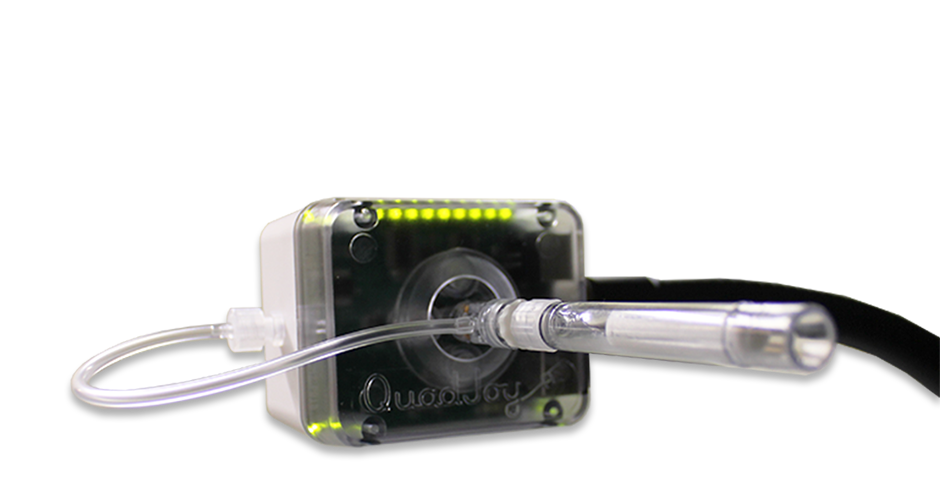
Top Two Assistive Technology Computer Mouses Quadriplegic ReviewedNext up we have the Quadjoy. Instead of being left without a mouse while my quadstick was being repaired requested the quad joy mouth stick from my VA adaptive occupational therapist. I’ve been using this for the last 30 days or so exclusively as my quadstick was broken and is offer repair. I use this device for 12 hours a day typically and in general, it is for web design, games kind of, Facebook, other social media, editing graphics and images. Amongst many other things that I use both of these devices for.

The Quadjoy adaptive computer mouse controller for a quadriplegic with no hand function works very well as a solution for normal computing needs I currently use the version 2.0 and the latest version 3.0 that I’ve not yet used which has been designed to accommodate some gaming.

Pros: QuadJoy version 2.0 Adaptive Computer Mouse Controllers:

Very Sturdy Design

Easy Set up

Works Well As an Everyday Mouse

Cons: QuadJoy Version 2.0 Adaptive Computer Mouse Controllers:

Around $1000 retail (I received mine from the VA)

Tends to Hold Debris inside the Mouth Stick

Limited Functionality

Unable to Program

Sip and Puff Sensitivity Should Be Increased

Conclusion

In conclusion, either of these controllers should be utilized situationally. If you are using the computer to check emails and surf the web than the Quadjoy may be the choice for you. If you want more control for gaming, precise mouse control, and key mapping than the quadstick is definitely the go to. With that being said there are alternatives that can be homemade. I used a trackball attached to a mount and literally facerolled while my quadstick was in the shop.

Top Two Assistive Technology Computer Mouses  Quadriplegic Reviewed.

Additional information Quadstick:

The QuadStick is a mouth-operated game controller for Quadriplegics.

The QuadStick has three models, the original QuadStick, the Singleton, and the QuadStick FPS. The primary difference between the two game controller models is the joystick module. The QuadStick FPS has a larger, more precise joystick with a stronger centering spring than the original model. Between the two models, the QuadStick FPS may not the best choice for some users with disabilities affecting muscle strength.

QuadSticks game controllers have four sip/puff sensors, a lip position sensor, all connected to a 32-bit ARM processor. This converts the sensor inputs into USB Bluetooth signals for games.

Compatibility

The QuadStick is directly compatible with the PS3, Android, and many PC games that use a joystick. Through the use of a 3rd party USB adapter, XBox 360, XBox One, PS4 consoles can be used.

The connections between the input sensors and the signals sent to the host are configurable by the user. Settings are pre-configured profiles while playing a game, to match different situations in the game. Specific configuration profiles can easily be created for games that require unique control inputs leading to.

Finally, the QuadStick comes with a one year warranty. qs has a thirty-day no-questions-asked return policy.